 ← Blog
DNS over HTTPS
- DNS
- Go
- Security
In the land of Russia, where your freedom is becoming ever more limited, the government is trying to censor the Internet. Those who are not content with website bans have to find ways to get around this problem. One way to get around the block is to use Google’s DNS instead of the DNS provided by your ISP. After reading Hacker News today I stumbled on an interesting article. The gist is that Google provides an encrypted way to access DNS (unlike traditional UDP which can be easily monitored by your ISP).
Unfortunately, there’s no way to just point your router or computer to it because DNS has a protocol, and since Google’s secure DNS doesn’t conform to it, existing programs can’t access it directly. So in this article we are going to set up our own DNS server, and yes, it can have blackjack and promiscuous women.
Some kind soul has written a Go package to interact with this secure DNS server. It is located here: https://github.com/wrouesnel/dns-over-https-proxy We are going to need the Go language in order to run that package. Details of how to install and run Go are outside the scope of this article, but you can refer to this page: https://golang.org/doc/install
After the package was downloaded you need to execute it using the following command (we add the debug flag there to see output):
sudo ./bin/dns-over-https-proxy -debug=true -address=127.0.0.1:53 -log.level=debugIn order to test if it’s working, we need to go into OS network settings and add DNS servers there. We can’t do it via the router because ISPs often add their own DNS and not all routers have options to ignore it.
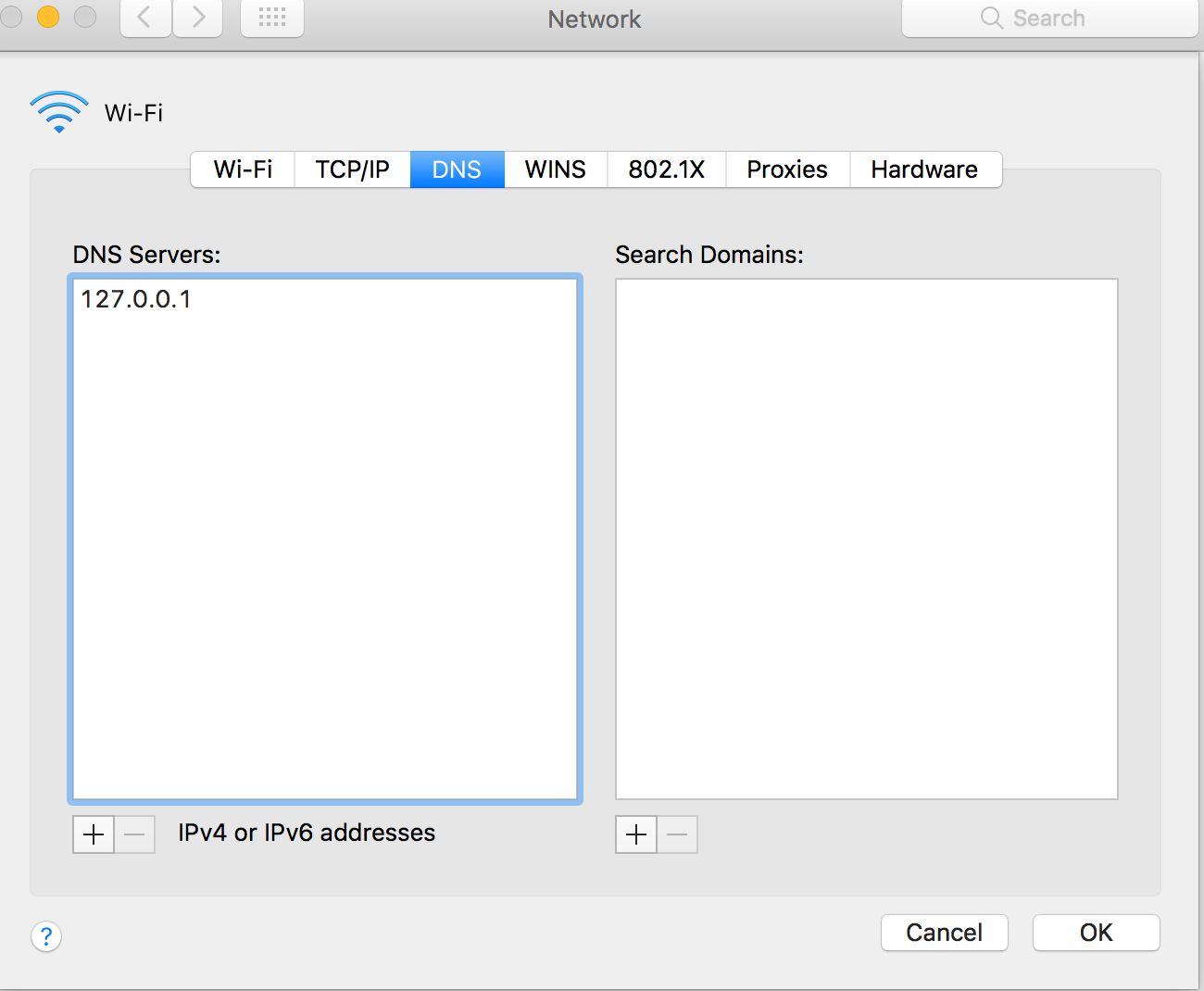
There’s one more issue. The Go script which is running DNS uses a domain name itself. Go to your /etc/hosts file and add the following line:
8.8.4.4 dns.google.comWe can check if it’s working by executing the following command:
dig -p 53 @127.0.0.1 google.comNow, unfortunately, some resources are not just banned by DNS but also by IP. For those you will have to use a proxy in addition to DNS. I highly recommend the FoxyProxy browser plugin. Also make sure to connect via HTTPS to these websites, otherwise your ISP will be able to inspect the information you are sending to your proxy and will still be able to stop your requests.
P.S. Original article by Google: https://developers.google.com/speed/public-dns/docs/dns-over-https